Last updated: April 25, 2026
Quick Answer
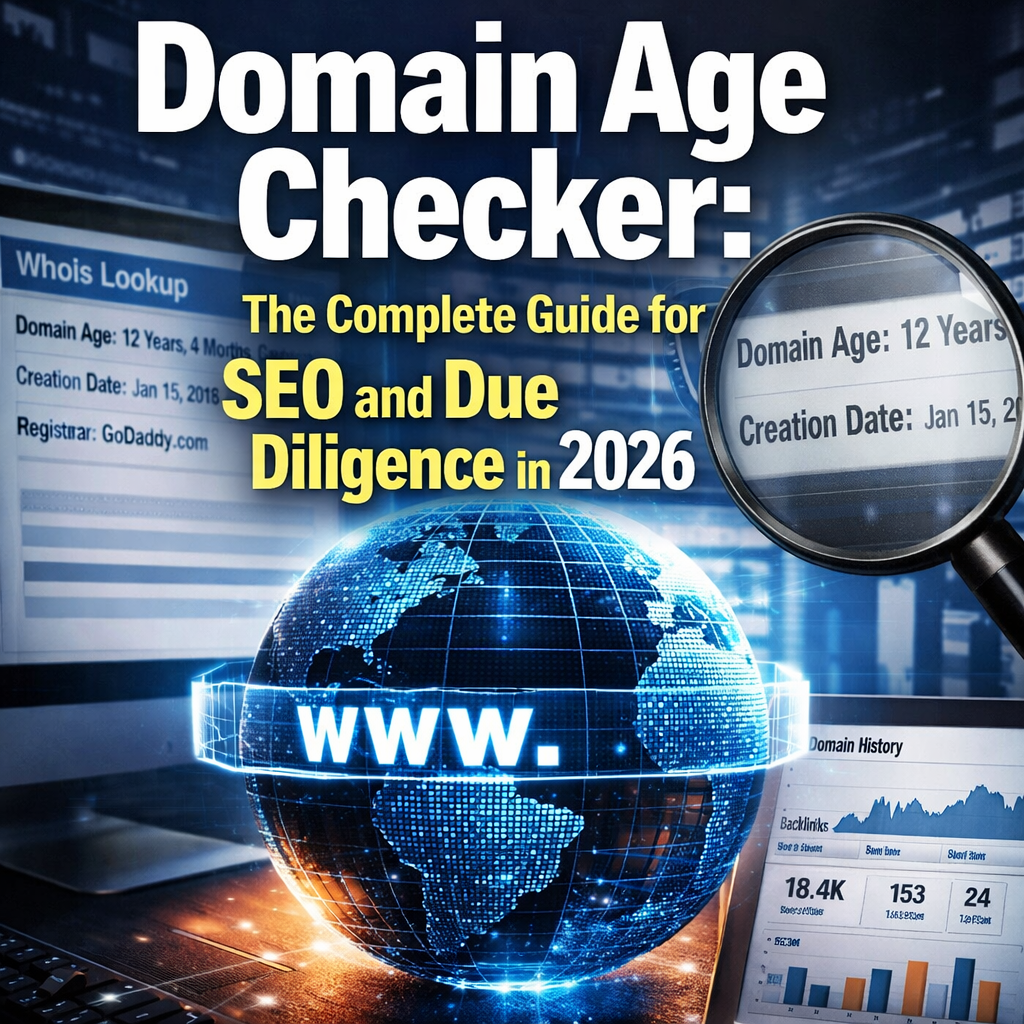
A domain age checker is a tool that reveals when a domain name was first registered, giving you a snapshot of how long it has been active on the web. SEO professionals, buyers of aged domains, and cybersecurity analysts use these tools to assess trust, authority potential, and risk. Most free domain age checkers return results instantly by querying WHOIS records.
Key Takeaways
- Domain age refers to how long a domain has been registered and active, not just when it was first created in a registry.
- A domain age checker queries WHOIS data to surface the original registration date, expiry date, and sometimes historical ownership.
- Older domains can carry accumulated backlink equity and trust signals, which may support faster SEO progress.
- Google has confirmed domain age is a minor ranking factor, but it is not a shortcut to rankings on its own.
- Free tools like Whois.domaintools.com, SmallSEOTools, and SEOReviewTools offer reliable domain age lookups.
- When buying an aged domain, always pair domain age data with backlink profile analysis and spam history checks.
- Domain age alone does not guarantee authority; a spammy 15-year-old domain can perform worse than a clean 2-year-old one.
- WHOIS privacy settings can sometimes obscure the original registration date, requiring archive-based tools as a backup.
What Is a Domain Age Checker and Why Does It Matter?
A domain age checker is a lookup tool that retrieves the registration history of any domain name, typically from WHOIS databases. Enter a URL, and the tool returns the date the domain was first registered, how long it has been active, and sometimes when it is set to expire.
This matters for three main reasons:
- SEO research: Search engines use domain history as one of many signals when evaluating a site’s trustworthiness.
- Domain acquisition: Buyers of pre-owned or expired domains need age data to estimate potential link equity.
- Security and fraud checks: Newly registered domains are statistically more likely to be used in phishing campaigns, so checking domain age is a standard step in email security and vendor vetting.
“A domain registered in 2005 that has been consistently active carries a different trust profile than one registered last month — even if their content is identical today.”
How Does a Domain Age Checker Actually Work?
Domain age checkers work by querying WHOIS records, which are publicly maintained databases that log registration details for every domain. When a domain is registered, the registrar submits data including the creation date, registrant details (unless privacy-protected), and expiry date to a central WHOIS server.
The checker pulls the “Creation Date” field from that record and calculates the difference between that date and today. Some advanced tools also cross-reference the Wayback Machine (web.archive.org) to find the earliest cached version of the site, which can be useful when WHOIS records have been reset after a domain lapsed and was re-registered.
Key data points a domain age checker typically returns:
| Field | What It Tells You |
|---|---|
| Creation Date | When the domain was first registered |
| Updated Date | Last time WHOIS record was modified |
| Expiry Date | When the registration expires |
| Registrar | Who manages the domain registration |
| Domain Age | Calculated time since creation date |
Edge case: If a domain expired and was re-registered by a new owner, the WHOIS creation date resets. The domain may look “new” even though it had years of prior history. Always check the Wayback Machine alongside WHOIS data when evaluating aged domains.
Does Domain Age Affect SEO Rankings?
Domain age has a limited but real influence on SEO. Google’s John Mueller has stated publicly that domain age is not a major ranking factor, but the history associated with an older domain — its backlink profile, crawl frequency, and indexed content — does carry weight.
Think of it this way: age itself is not the variable. What age correlates with is the variable. An older domain is more likely to have:
- Accumulated backlinks from authoritative sources
- A longer crawl history with Google
- Established topical relevance signals
For anyone working on how backlinks improve domain authority, understanding domain age puts link equity in context. A 10-year-old domain with 500 quality backlinks starts from a very different baseline than a brand-new site.
Choose an aged domain if: You are launching a competitive niche site and want to reduce the time needed to build initial trust signals, provided the domain has a clean history.
Do not rely on age alone if: The domain has a history of spam, thin content penalties, or manual actions. A domain age checker is only the first step — always audit the full backlink profile.
How to Use a Domain Age Checker: Step-by-Step
Using a domain age checker takes under two minutes. Here is the standard process:
- Choose a tool. Free options include SEOReviewTools Domain Age Checker, SmallSEOTools, and Whois.domaintools.com. Paid platforms like Ahrefs and SEMrush include domain age within broader site audits.
- Enter the domain. Type the full domain (e.g.,
example.com) without thehttps://prefix. Most tools handle both formats. - Read the creation date. The tool will display the original registration date. Calculate the age from that date to today, or let the tool do it automatically.
- Check the Wayback Machine. Go to web.archive.org and enter the same domain to see the earliest archived snapshot. This catches re-registered domains that show a false “new” creation date.
- Cross-reference with a backlink tool. Use a platform like Ahrefs or SEMrush to see the domain’s link history. For a comparison of these tools, see Ahrefs vs SEMrush.
- Check for spam signals. Run the domain through Google’s Transparency Report or a spam score checker to flag any penalty history.
- Make your decision. Combine age, backlink quality, and spam history into a single verdict before purchasing or building on the domain.
Best Free Domain Age Checker Tools in 2026
Several reliable tools are available at no cost. Each has slight differences in data depth and interface.
Top free domain age checkers:
- Whois.domaintools.com — The most comprehensive WHOIS lookup, with registrar history and ownership timelines. Best for detailed due diligence.
- SEOReviewTools Domain Age Checker — Clean interface, returns age in years/months/days, and includes basic WHOIS data.
- SmallSEOTools Domain Age Checker — Bulk lookup capability for checking multiple domains at once. Useful for competitive research.
- MXToolbox WHOIS — Preferred by IT and security teams; includes DNS and mail server data alongside age.
- Ahrefs Site Explorer (paid, with limited free access) — Shows domain age alongside DR, backlinks, and organic traffic. Best for SEO-focused analysis.
Common mistake: Relying on a single tool. WHOIS data can vary slightly between providers because some registrars update records with a delay. When precision matters, cross-check two tools.
Domain Age vs. Domain Authority: What’s the Difference?
These two metrics are frequently confused, but they measure different things.
- Domain age is a factual, time-based measurement: how long the domain has been registered. It comes from WHOIS records and does not change based on SEO activity.
- Domain authority (DA) is a predictive score, created by third-party tools like Moz, that estimates how well a domain might rank in search engines. It is calculated from backlink quantity, quality, and other link signals.
A domain can be old but have low authority (if it was inactive or had poor links). Conversely, a newer domain can build authority quickly with a strong backlink strategy.
For a deeper look at how authority scores work and whether they are worth chasing, see this guide on domain rating as a vanity metric.
When Should You Check Domain Age?
Domain age checks are relevant in several specific scenarios. Knowing when to run one saves time and prevents costly mistakes.
Run a domain age check when:
- Buying an expired or pre-owned domain — Age is a key factor in valuation and SEO potential.
- Vetting a new vendor or business partner — A company operating on a 3-month-old domain warrants more scrutiny than one on a 10-year-old domain.
- Analyzing competitors — Understanding when a competitor’s domain was registered helps contextualize their SEO authority.
- Investigating suspicious emails — Phishing domains are almost always newly registered. A quick age check can flag fraud before it causes damage.
- Evaluating link building targets — Before building links to or from a site, checking its age and history is part of a sound link building process.
Pros and Cons of Targeting Aged Domains for SEO
Aged domains are popular in SEO circles, but they are not always the right choice. Here is an honest breakdown:
Pros:
- May carry existing backlinks and topical authority
- Shorter sandbox period (the informal term for Google’s initial trust-building phase for new domains)
- Can accelerate ranking timelines in competitive niches
- Established crawl history with search engines
Cons:
- Higher cost — aged domains with strong histories sell at a premium
- Risk of inherited penalties or spam links
- WHOIS reset can make a domain appear older than its actual clean history
- No guarantee of ranking improvement without quality content and fresh links
Decision rule: Choose an aged domain only if its backlink profile is clean, its niche history is relevant to your new project, and the price reflects realistic SEO value rather than speculation.
For more on building authority from scratch or with an aged domain, the complete guide to finding the right domain covers the full selection process.
FAQ
Q: Is a domain age checker free to use?
Yes. Most domain age checkers are free. Tools like SEOReviewTools and SmallSEOTools offer unlimited free lookups. Paid SEO platforms include domain age as part of a broader paid subscription.
Q: Does Google use domain age as a ranking factor?
Google has confirmed domain age is a minor signal. The more meaningful factor is the accumulated trust and link history that often comes with older domains, not the age number itself.
Q: Can domain age be faked?
The WHOIS creation date cannot be altered by a domain owner. However, if a domain expired and was re-registered, the date resets, which can mislead buyers into thinking a domain has a shorter or cleaner history than it does.
Q: How old does a domain need to be to have SEO value?
There is no universal threshold. Generally, domains over 2–3 years old with consistent activity and clean backlink profiles show stronger trust signals. Age alone without quality content and links adds minimal value.
Q: What is the difference between domain age and domain registration date?
They are closely related. The registration date is the specific calendar date the domain was first registered. Domain age is the calculated time elapsed since that date. Some tools also distinguish between the registration date and the date the site first appeared in search indexes.
Q: Why does my domain age look different on different tools?
WHOIS data is pulled from different registrar databases, and update timing varies. Small discrepancies of a few days or weeks are normal. Significant differences may indicate the domain was re-registered after expiry.
Q: Does a new domain with great content outrank an old domain with poor content?
Yes. Content quality, relevance, and backlink authority consistently outperform domain age in ranking outcomes. Age is one signal among hundreds.
Q: Can I check domain age in bulk?
Yes. SmallSEOTools and some API-based WHOIS services support bulk domain age lookups. This is useful for competitive research or evaluating a list of expired domains.
Q: Is domain age the same as website age?
Not always. A domain can be registered years before a website is built on it. The domain age reflects the registration date; the website age reflects when content was first indexed or archived.
Q: How do I check domain age without a tool?
Go to a WHOIS lookup service like ICANN’s official WHOIS portal (lookup.icann.org), enter the domain, and find the “Creation Date” field. Calculate the time from that date to today manually.
Conclusion
A domain age checker is a simple but powerful tool in any SEO, due diligence, or cybersecurity workflow. The raw age number matters less than what that age represents: a history of consistent activity, quality backlinks, and clean ownership. Use a domain age checker as the starting point, not the final word, when evaluating any domain.
Actionable next steps:
- Run a domain age check on your own domain and your top three competitors using a free tool today.
- Cross-reference results with the Wayback Machine to catch any re-registration gaps.
- Pair age data with a backlink audit — check how backlinks improve domain authority to understand what a strong link profile looks like.
- If you are buying an aged domain, use the complete domain finder guide to structure your evaluation process.
- Revisit your domain’s authority score quarterly alongside age data to track SEO progress over time.
Interactive Domain Age Calculator
References
- Google Search Central Blog. (2010). Google does use domain age as a ranking signal — but it’s minor. https://developers.google.com/search/blog
- ICANN. (2023). WHOIS lookup and registration data policy. https://lookup.icann.org
- Moz. (2022). Domain Authority: What it is and how it’s calculated. https://moz.com/learn/seo/domain-authority
- DomainTools. (2024). WHOIS history and domain intelligence. https://whois.domaintools.com